


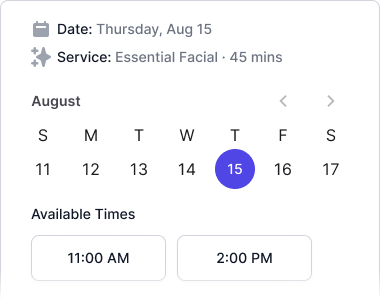
When a client decides to book an appointment, you have a narrow window to convert that intent into a confirmed reservation. Every extra click, every confusing form field, and every moment of uncertainty is an opportunity for them to close the tab and move on. A well-designed booking flow removes those obstacles before they appear.
Start with your service menu
The first thing a client sees when they start booking is your list of services. Ambiguity here is expensive — if they can’t tell the difference between “Express Facial” and “Signature Facial” at a glance, they’ll either pick wrong and show up unprepared or abandon the booking entirely. Keep service names clear and add short descriptions that answer the most common questions: how long does it take, what does it include, is there anything they need to do beforehand.
Grouping services into logical categories also helps. A salon offering cuts, color, and treatments benefits from collapsible sections more than a flat list of 25 line items. The goal is a page that a first-time visitor can scan in under thirty seconds and still feel confident about what they’re choosing.
Offer real-time availability
Nothing frustrates clients more than selecting a day, choosing a time, filling in their contact details, and then getting a callback to say that slot is unavailable. Real-time availability tied directly to your team’s calendars eliminates that scenario entirely. Clients see only open slots, and the moment one is confirmed it disappears for everyone else.
If you have multiple staff members who can perform the same service, let clients choose whether they have a preference or are flexible. Flexible clients fill gaps that a strict preference would leave empty — that’s revenue you’d otherwise miss.
Ask only what you need
Every field you add to a booking form is a small piece of friction. Name, email, and phone number are universally necessary. Beyond that, think carefully about what you actually use before the appointment arrives. If you don’t review intake information until the client is already on your table, don’t collect it during booking — send a short intake form as a separate step closer to the appointment date.
Payment details are a different matter. Collecting a card at booking time, even if you don’t charge it, dramatically reduces no-shows because it signals to the client that the slot has real value. A deposit or hold policy communicated clearly at checkout sets the right expectations from day one.
Confirm immediately and follow up automatically
The moment a booking is completed, clients should receive a confirmation by email with the appointment details, your location or link for virtual services, and a clear cancellation policy. A well-timed reminder one or two days before the appointment keeps the booking top of mind and gives clients enough notice to reschedule if something changes — which benefits everyone.
An automated reminder sequence isn’t about pestering clients. It’s about treating their time the same way you’d want yours treated: with a brief, professional heads-up that helps them show up prepared and on time.
Ready to put booking on your site? See how to add online booking to your salon or med spa website. For deposit policies at checkout, see how to require appointment deposits.