


Adding a second location is one of the clearest signs your salon or med spa is working. It’s also one of the fastest ways to recreate every operational problem you solved at location one — double data entry, clients who book at the wrong site, staff who can’t see each other’s calendars, and reporting that lives in separate spreadsheets.
Multi-location management isn’t about having more software. It’s about having one system where each location keeps its own identity while sharing the infrastructure that makes growth possible: client records, brand, packages, and owner visibility.
This guide covers what to set up before you open location two, what to evaluate in software, and how to avoid the mistakes that turn a second site into a second full-time job.
What breaks when you add a location
Most owners underestimate how much relies on “everyone being in the same room”:
- Client confusion — a regular books at the old address because the website still points to one booking page
- Fragmented records — visit history at location A doesn’t follow the client to location B
- Staff scheduling chaos — float staff or cover shifts without a shared view of who’s where
- Reporting blind spots — you can’t compare revenue, utilization, or no-show rates per site
- Package and membership errors — credits purchased at one location aren’t honored at the other
If your current software doesn’t handle these natively, you’ll patch with phone calls and spreadsheets until something breaks publicly.
Step 1: Decide what should be shared vs. local
Before comparing software, write down what must be centralized and what should stay per-location.
Usually shared across locations:
- Client profiles and visit history
- Brand name, booking page styling, and core service menu
- Packages and memberships (with clear rules for cross-location redemption)
- Owner-level reporting and financial visibility
- Gift card balances
Usually per-location:
- Staff schedules and availability
- Room and resource calendars
- Local pricing adjustments (if markets differ)
- Inventory and retail stock counts
- Day-to-day front desk permissions
Your software should make the shared parts automatic and the local parts obvious — not the reverse.
Step 2: Evaluate multi-location software capability
Use this checklist when comparing platforms:
Scheduling and staff:
- Can each location have its own calendar, staff roster, and availability rules?
- Can clients select which location during online booking?
- Can staff who work at multiple sites manage availability per location?
- Does the system prevent double-booking a provider across locations?
Client records:
- Is there one client profile regardless of which location they visit?
- Does visit history show which location each appointment occurred at?
- Can packages and memberships be redeemed at any location (if that’s your policy)?
Reporting:
- Can you see revenue per location and combined?
- Can you compare no-show rates, utilization, and top services by site?
- Can you filter by location without exporting to a spreadsheet?
Operations:
- Can you switch between locations in one login session?
- Can you set per-location user roles (manager at site A, front desk only at site B)?
- Is inventory tracked per location if you sell retail?
Step 3: Set up location-aware online booking
The most common multi-location mistake is a single booking link that dumps every client into one calendar.
Do this instead:
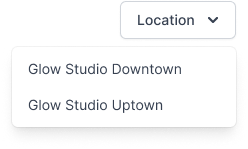
- Location selector on your booking page — clients pick the site first, then service and provider
- Separate embed codes per location — if your website has dedicated location pages, each gets its own widget pre-filtered to that site
- Google Business Profile — each location’s listing should link to booking for that address
- Update confirmation emails — address, parking, and check-in instructions must match the booked location
See how to add online booking to your website for embed and link-in-bio setup.
Step 4: Align packages, memberships, and gift cards
Cross-location policies need to be explicit before you sell the first package at site two.
Packages:
- Define whether session packages are redeemable at any location or only where purchased
- Configure software to track sessions remaining on the client profile, not per location
- Train front desk staff on the policy — ambiguity creates client conflict at checkout
Memberships:
- Decide if membership perks (discounts, included services) apply at all locations
- Ensure recurring billing runs through one system with location attribution on each redemption
- See memberships and packages pricing for models that scale across sites
Gift cards:
- Sell and redeem at any location if that’s your brand promise
- Track liability centrally so accounting stays clean
Step 5: Standardize operations without killing local flexibility
Growth doesn’t require identical service menus at every site — but it does require consistent client experience standards.
Standardize:
- Reminder timing and cancellation policy (see reduce no-shows with reminders)
- Deposit rules for high-value services (appointment deposit guide)
- Intake and consent form requirements per service type
- Checkout and tipping flow
Allow local flexibility:
- Practitioner roster and specialties per market
- Hours of operation and peak-day staffing
- Local promotions (with owner approval)
Document these in a one-page ops guide per location. Software enforces the workflow; the guide enforces the judgment calls.
Step 6: Reporting rhythm for multi-location owners
Single-location owners often “feel” how the week went. Multi-location owners need a lightweight reporting cadence:
Weekly (15 minutes):
- Revenue per location vs. same week last month
- No-show and cancellation rate per site
- Top 3 services by location
Monthly (30 minutes):
- Utilization by provider per location — who’s underbooked?
- New vs. returning client mix per site
- Package and membership redemption by location
If you can’t pull these numbers in software, you’ll fly blind until payroll hurts.
When to upgrade your software plan
Most platforms gate multi-location support to higher tiers. That’s normal — but know the trigger:
- You’re actively hiring at location two — not just “thinking about it next year”
- Clients are already asking which site to book
- You’re duplicating client records manually between systems
On DaySpark, multi-location support is available on Growth and Professional plans, with up to 10 or 20 staff per location respectively. Essential covers a single location with up to 3 staff — the right starting point until site two has a door and a schedule.
Common mistakes to avoid
- Launching location two on a separate software account — you’ll never unify reporting or client history
- One booking link for all locations — increases no-shows and wrong-site arrivals
- No cross-location package policy — front desk improvises; clients get frustrated
- Owner stays in the weeds at both sites — hire or promote a location manager and give them software permissions
- Copying location one’s schedule blindly — demand patterns differ by neighborhood; staff accordingly
Bottom line
Multi-location growth should feel like expanding a system that works, not rebuilding from scratch. The right software gives each site its own calendar and staff while keeping clients, packages, and owner reporting in one place.
Before you sign a lease on location two, run your current platform through the checklist in Step 2. If it fails more than two items, switch or upgrade before the second opening — not after six months of workaround spreadsheets.
DaySpark offers a 14-day free trial with no credit card required. Set up two locations with your real services and staff, book a test client at each site, and confirm visit history and reporting work the way you’d expect on day one.
Related guides: How to choose hair salon software · How to choose med spa software · Salon and spa gift card programs