


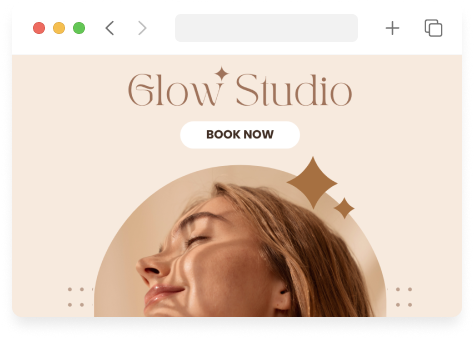
Most clients decide to book outside your business hours — after scrolling Instagram, comparing providers on Google, or reading your services page at night. If booking requires a phone call during front-desk hours, you lose appointments to competitors with a Book Now button that works in 60 seconds.
This guide explains how to add online booking to your salon or med spa website: where to place it, how embedding works, mobile essentials, and connecting Google and social. If you haven’t built a site yet, start with the website guide for your industry — hair salon, med spa, spa & wellness, or beauty & aesthetics. For UX principles (not technical steps), see build a better booking flow.
What you need before you embed
- Booking software with a hosted booking page or embed code — Your services, providers, hours, and policies configured
- A website you can edit — Squarespace, WordPress, Wix, Webflow, or a developer-managed site
- Consistent branding — Logo, service names, and deposit policy match what clients see on the booking page
DaySpark provides a dedicated booking page plus website integration options — book through your link or embed on your site without sending clients to a marketplace.
Three ways to add booking to your site
Option 1: Book Now button (simplest)
Add a prominent button in your header and hero section that links to your standalone booking URL.
Best for: Fast launch, any website platform, mobile-first traffic from Instagram
Implementation:
- Copy your booking page link from your scheduling settings
- Add a button: “Book Appointment” / “Schedule Online”
- Use the same link in your site footer and contact page
Tip: Use UTM parameters or your platform’s analytics to see how many bookings come from the website vs. Instagram bio vs. Google.
Option 2: Embedded booking widget
Embed booking inline on a /book page so clients never leave your domain branding context.
Best for: Med spas and salons that want a seamless brand experience and lower drop-off from an extra click
Implementation (typical):
- Create a dedicated page:
yoursite.com/bookoryoursite.com/schedule - Paste the embed code or iframe snippet from your booking provider
- Set page width to full or contained column; test on mobile — most bookings happen on phones
Common issues:
- Widget too narrow on mobile → use full-width embed container
- Slow page load → load embed only on the booking page, not site-wide
- Mixed HTTP/HTTPS → ensure embed is HTTPS
Option 3: Service-level deep links
Link “Book Botox” or “Book Color Consultation” directly to a pre-selected service in your booking flow.
Best for: Websites with detailed service pages — reduces steps and abandonment
Implementation:
- Use provider-generated deep links per service category
- Place on each service page: “Schedule this treatment”
Where to place Book Now on your website
| Location | Why it works |
|---|---|
| Header (sticky on mobile) | Visible on every page |
| Homepage hero | Captures intent immediately |
| Services / menu page | Client already chose what they want |
| Contact page | Alternative to phone tag |
| Footer | Catch scrollers and legal-page visitors |
Med spa: Add booking next to “Before & After” and provider bios — trust and action on the same visit.
Salon: Add booking on stylist profile pages if your site lists team members — “Book with Jamie.”
Mobile and speed checklist
- Button is thumb-sized (min ~44px tap target)
- Booking page loads in under 3 seconds on LTE
- Service list is scannable — categories, not 40-line flat list
- Deposit policy visible before payment step (deposit guide)
- Confirmation email arrives immediately
Connect Google Business Profile
Google “Book online” buttons drive high-intent local traffic.
- Verify your Google Business Profile
- In booking software settings, connect or add your booking URL to Google (follow your provider’s Google integration steps)
- Ensure services and hours match what’s on Google — mismatches cause client frustration
Even without a native integration, adding your booking URL to your website and GBP description helps — and a dedicated /book page gives you a stable link for all channels.
Instagram and link in bio
Your bio link is often the #1 booking path for salons.
- Use one link that goes to booking or a simple landing page with “Book Now” first
- Update story CTAs to the same URL
- Mention online booking in highlight covers (“Book 24/7”)
DaySpark supports a link in bio booking page styled for mobile — same backend as website embed.
After booking goes live
- Replace “call to book” on key pages with “book online” — train staff to say “I’ll send you the link” instead of taking cards over the phone when possible
- Enable reminders — website bookings need the same email/SMS sequence as phone bookings (no-show playbooks)
- Track conversion — visits to
/bookvs. completed appointments - Review monthly — top drop-off step in booking (service selection? payment?)
Salons leaving marketplace-heavy platforms
If you’re moving off Fresha or Vagaro marketplace listings, your owned website + Google + Instagram become your discovery stack. Run Fresha commission math and point every channel to your own booking URL — see Fresha alternatives.
Platform fit
Choose software that includes website integration without extra fees. Compare options in how to choose med spa software or how to choose hair salon software.
DaySpark offers website integration, a dedicated booking page, and link-in-bio booking on all plans — with deposits, reminders, and (on Growth+) intake forms supporting the full flow after the client lands from your site.
DaySpark offers a 14-day free trial with no credit card required. Publish your booking link on the homepage header the same day you go live.