


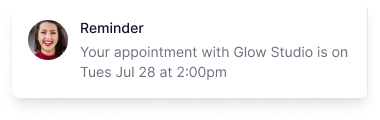
No-shows are a quiet, consistent drag on med spa revenue. Unlike a slow Tuesday or a staff callout, they’re invisible in your monthly reports unless you’re specifically tracking them — and most practices aren’t. But the math is straightforward, and once you run it, reducing your no-show rate becomes one of the highest-ROI operational improvements you can make.
This playbook covers the full strategy: how to calculate what no-shows are costing you, the interventions that actually work, and the order to implement them.
Step 1: Calculate your current no-show cost
You can’t improve what you don’t measure. Before implementing anything, establish a baseline.
The formula:
Monthly no-show cost = (No-show appointments per month) × (Average appointment value)Example — small med spa:
- 80 appointments per month
- 10% no-show rate = 8 no-shows per month
- Average appointment value: $180
- Monthly cost: $1,440
- Annual cost: $17,280
Example — mid-size med spa:
- 200 appointments per month
- 12% no-show rate = 24 no-shows per month
- Average appointment value: $220
- Monthly cost: $5,280
- Annual cost: $63,360
Most med spa owners are surprised by this number. The cost of no-shows is usually large enough that even a modest reduction — going from 12% to 6% — pays for several years of booking software.
The five interventions that reduce no-shows
In order of impact, here are the proven levers.
Intervention 1: Automated reminder sequences
The single highest-leverage no-show intervention is a two-message reminder sequence: one two to three days before the appointment, and one the morning of.
Why it works: Research on prospective memory consistently shows that intent fades over time. A client who booked three weeks ago is not thinking about their appointment today. A reminder reactivates that intent and gives them enough lead time to reschedule if they genuinely can’t make it — which is always a better outcome than a silent no-show.
What it should include:
- Appointment date, time, and provider name
- Your address or a link to your location
- A clear reschedule or cancel link they can act on in under 30 seconds
- Your cancellation policy
Channel matters: SMS reminders have significantly higher open rates than email. The best practice is both — email for the detailed confirmation, SMS for the day-before nudge.
ROI example: A practice with 8 no-shows per month at $180 average implements automated reminders. No-show rate drops from 10% to 6% — 3.2 recovered appointments per month. At $180 each, that’s $576/month recovered, or $6,912/year.
Intervention 2: Deposits at booking
Requiring a deposit — typically $25–$50 or 20–30% of service cost — when a client books is one of the most effective behavioral interventions for reducing no-shows.
Why it works: A deposit signals to the client that the slot has real value and that there are consequences for not showing up. Clients who have paid something, even a small amount, feel a psychological commitment to the appointment. The ones who aren’t serious self-select out at booking time.
Implementation notes:
- Keep deposit amounts reasonable — high enough to matter, not so high it deters genuine bookings
- Communicate your policy clearly at booking (not buried in fine print)
- For high-ticket services like laser packages, deposits of $50–$100 are standard
- Your booking software should collect the deposit automatically so your front desk doesn’t have to ask for it manually
ROI example: A practice adds a $40 deposit requirement on all services over $150. No-show rate drops from 12% to 5% on those services — 7 recovered appointments per month at $200 average. $1,400/month recovered, or $16,800/year.
Intervention 3: Card on file (without upfront charge)
For practices not ready to require a deposit, collecting a card on file at booking achieves a similar behavioral effect. The client knows their card is on file. Even if you have a clear cancellation policy that you rarely enforce, the presence of a stored card reduces casual no-shows meaningfully.
Why it works: The psychological effect of a card on file is close to a deposit — the appointment has financial stakes attached to it. Most clients who are serious about showing up don’t mind; clients who plan to ghost you will sometimes abandon the booking rather than store their card.
Implementation notes:
- Be transparent that the card is stored but not charged unless a late-cancellation or no-show policy is triggered
- State your policy clearly at booking
- Collecting a card also dramatically reduces friction when charging a remaining balance on the day of service
Intervention 4: Confirmation requests in reminders
Including a two-tap confirmation in your reminders — “Reply YES to confirm your appointment” or a link that says “Confirm / Reschedule” — serves two purposes: it re-engages clients who might otherwise passively ignore the reminder, and it surfaces cancellations early enough for you to fill the slot.
Why it works: A client who taps “confirm” has actively renewed their commitment to the appointment. Those who can’t make it but weren’t going to tell you are prompted to reschedule rather than ghost.
The real value: An early reschedule that turns into a filled slot from your waitlist is worth more than just a non-no-show — it’s a recovered appointment with zero lost revenue.
Intervention 5: Early reschedule capture and slot backfilling
The goal isn’t just reducing no-shows — it’s converting cancellations into filled appointments. When a client reschedules or cancels through a reminder link, you have an opening. The faster you can reach out to clients who’ve expressed interest in getting in sooner, the better your chance of filling that slot.
Why it works: An empty slot notified early enough still has value. One that sits open until two hours before the appointment is usually unrecoverable. Proactive outreach to clients on a standby list — even a simple message — can fill slots that would otherwise be lost.
Implementation order
For a practice starting from scratch, here’s the sequence that gets results fastest:
- Week 1: Set up automated two-step reminder sequences (email + SMS for Growth/Professional plan users). This is the fastest intervention to implement and has the highest immediate impact.
- Week 2: Enable deposits or card-on-file at booking for new appointments. Communicate the policy clearly.
- Week 3: Add confirmation request language to your reminder messages and a reschedule link.
- Week 4: Build a short-notice outreach process so early cancellations go to a standby list of clients who want to get in sooner.
Combined ROI model
Here’s what a mid-size med spa can expect after implementing all four interventions:
| Metric | Before | After |
|---|---|---|
| Monthly appointments | 200 | 200 |
| No-show rate | 12% | 4% |
| No-shows per month | 24 | 8 |
| Recovered appointments per month | — | 16 |
| Average appointment value | $220 | $220 |
| Monthly revenue recovered | — | $3,520 |
| Annual revenue recovered | — | $42,240 |
The cost of the software that enables all of this is typically less than the value of one recovered appointment per month.
The right tools make this automatic
The interventions above are not complicated. But doing them manually — calling clients the day before, remembering to send a reminder, asking for a card at booking — doesn’t scale and doesn’t happen consistently enough to be effective.
The right booking software handles the reminder sequence, deposit collection, confirmation requests, and waitlist notifications automatically. Once configured, your no-show rate drops without any ongoing manual effort from your team.
DaySpark includes automated email reminders on all plans, deposits at booking and card-on-file on all plans, and package and membership management. SMS reminders and intake/consent forms are available on the Growth plan ($99/mo) and above, with SMS requiring a small add-on ($5 USD/month). If your current software requires you to manage reminders or client communication manually, that’s worth changing.
Related guides: Med spa calendar guide · How to require appointment deposits · Hair salon no-show reduction playbook · Reduce no-shows with reminders