


Front-desk clipboard intake creates bottlenecks, incomplete charts, and clients starting treatments before paperwork is done. Med spas that collect intake and consent forms online before the appointment start on time, reduce liability gaps, and free staff for hospitality instead of data entry.
This guide covers what to include in med spa intake and consent forms, when to send them, and how to integrate collection into your booking flow. For platform comparison, see how to choose med spa software and DaySpark vs Mindbody.
Intake vs. consent: what’s the difference?
| Form type | Purpose | Typical timing |
|---|---|---|
| Intake | Health history, medications, allergies, skin concerns, prior treatments | Before first visit; updates periodically |
| Consent | Legal acknowledgment of risks, aftercare, photography, cancellation policy | Before each treatment type or annually |
| Treatment-specific addendum | Laser settings acknowledgment, injectable risks, etc. | Linked to specific services |
Intake answers “Is this client a safe candidate?” Consent answers “Does the client understand and accept risks and policies?”
What to include in med spa intake forms
Tailor to your menu, but most aesthetic practices include:
Client identification
- Legal name, date of birth, contact information
- Emergency contact
- How they heard about you (optional, for marketing)
Health history
- Current medications and supplements (especially blood thinners, retinoids, immunosuppressants)
- Allergies (latex, lidocaine, adhesives, skincare ingredients)
- Pregnancy or nursing status
- History of cold sores (relevant for laser and microneedling)
- Keloid or hyperpigmentation tendency
- Recent sun exposure, tanning, or self-tanner use
- Prior aesthetic treatments and dates (laser, filler, Botox, peels)
Aesthetic goals
- Primary concerns (texture, pigment, lines, volume, body contouring)
- Expectations in client’s own words
Contraindication flags
Use yes/no questions that trigger staff review — not just free text:
- Pacemaker or implanted devices (for certain modalities)
- Active infection or rash in treatment area
- Accutane or isotretinoin in last 12 months (for many peels and lasers)
- Recent surgery in treatment area
Important: Intake forms support clinical judgment; they don’t replace provider assessment. Train staff to flag “yes” answers on contraindication questions before the client is roomed.
What to include in consent forms
Consent forms should be readable, not wall-of-text legalese only lawyers understand — but they must cover:
- Nature of the procedure — What you’re doing in plain language
- Risks and side effects — Bruising, swelling, burns, pigment changes, infection, unsatisfactory results
- Alternatives and right to refuse — Including no treatment
- Aftercare responsibility — Sun avoidance, product use, follow-up timing
- Photography and marketing — Optional separate checkbox
- Financial policy — Deposits, cancellations, package terms (link to deposit guide)
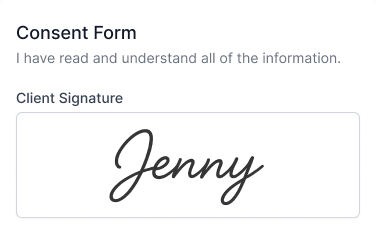
- Signature and date — Electronic signature with timestamp
Use separate consents per modality where risk profiles differ — injectables vs. laser vs. chemical peel — rather than one generic waiver for everything.
When to send forms
Best practice flow:
- Client books online
- Confirmation email includes link to assigned forms (or forms embedded in booking)
- Client completes intake/consent before arrival
- Provider reviews completed forms in client profile pre-appointment
- At visit: brief verbal confirmation, note any changes since form date
Re-collection triggers:
- New treatment category they haven’t consented to
- Annual consent refresh (common for laser memberships)
- Material change in health status (pregnancy, new medications)
Avoid 20-minute clipboard sessions for clients who booked weeks ago — they already agreed to show up prepared.
How to collect forms online at booking
Manual email links get ignored. Integrate forms into booking software so:
- Specific services trigger specific forms (Botox booking → injectable consent + intake if first visit)
- Incomplete forms show as pending on the appointment
- Staff see completed PDFs or structured answers in the client profile
- Reminders can nudge: “Complete your forms before Tuesday’s appointment”
DaySpark includes digital intake and consent forms on Growth ($99/mo) and Professional ($139/mo) plans. Forms are assigned to services and sent automatically with booking confirmations — clients complete them before they walk in.
Essential plan users without forms can still collect health info via follow-up email, but growing med spas typically need Growth for forms + SMS reminders together.
Compliance and record-keeping tips
- Store completed forms linked to the client record, not scattered in email
- Retain records per your medical director or attorney’s guidance (often 5–7+ years for clinical aesthetics)
- Version your consent templates when protocols change — date the form version in the footer
- Don’t use generic spa waivers for medical-aesthetic services if your state treats them as medical acts
This article is operational guidance, not legal advice. Have qualified counsel review templates for your state and scope of practice.
Checklist: launch online intake in one week
- Audit current paper forms — intake, per-treatment consents
- Convert to digital templates; add version date
- Map each service to required forms in booking software
- Update booking page: “Forms required before your appointment”
- Train front desk: how to resend form link, how to read flags
- Train providers: pre-appointment review in client profile
- Add form completion to reminder sequence for pending appointments
Related resources
- Med spa no-show reduction playbook — reminders and deposits alongside forms
- DaySpark vs Vagaro — how competitors handle forms and add-ons
- Build a better booking flow — reduce friction while still collecting what you need
DaySpark offers a 14-day free trial with no credit card required. On Growth, build your first intake and consent forms and assign them to your top three services in an afternoon.