


Opening a salon, spa, med spa, or aesthetics studio is mostly decisions about space, licensing, and money — until about two weeks before launch, when you realize operations are what clients actually experience. If booking, reminders, deposits, and client records aren’t set up before day one, your first month becomes a patchwork of phone calls, paper forms, and missed appointments.
This checklist covers the systems every appointment-based business should have in place before the door opens — regardless of industry. Use it alongside the opening guide for your specific vertical:
- How to open a hair salon · Build a hair salon website
- How to open a med spa · Build a med spa website
- How to open a spa or wellness studio · Build a spa or wellness website
- How to open a head spa
- How to start a beauty or aesthetics business · Build a beauty or aesthetics website
1. Build your service menu with real durations
Your service menu is the foundation everything else plugs into — booking slots, pricing, provider assignment, and reminders.
Before day one:
- List every service you’ll offer at launch (start with 8–15, not 40)
- Set a realistic duration per service — include processing time for color, lash, or body treatments
- Add buffer time between appointments if turnover matters (med spa rooms, lash setup)
- Assign which providers can perform which services
- Decide whether prices show online at booking or after consultation
A booking system configured with wrong durations creates double-bookings and gaps on day one. Set durations from how you actually work, not how fast you hope to be.
2. Set pricing and cancellation policy in writing
Clients need clarity before they book. You need protection before you block time on the calendar.
Before day one:
- Price every service on your launch menu (see service pricing that supports growth)
- Write a cancellation policy — how much notice, whether deposits are forfeited
- Decide if you’ll require deposits or card-on-file (especially for long or high-ticket appointments)
- Publish policy on your booking page and in confirmation emails
For deposit setup and client-facing language, see how to require appointment deposits.
3. Turn on online booking everywhere clients find you
Phone-only booking doesn’t scale past a handful of appointments per week — and new businesses rarely have front desk staff to answer every call.
Before day one:
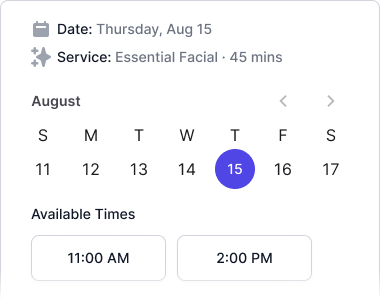
- Create a branded booking page with your service menu and availability
- Embed booking on your website or use a direct link if the site isn’t ready
- Add the booking link to Google Business Profile, Instagram bio, and email signature
- Test the full flow as a client: pick service → pick provider → pick time → confirm
If you haven’t built a site yet, start with the website guide for your industry: hair salon, med spa, spa & wellness, or beauty & aesthetics. Then see how to add online booking to your website for embed and link-in-bio setup.
4. Configure automated reminders
No-shows hurt most in month one, when every appointment matters. Reminders should run without you thinking about them.
Before day one:
- Enable email reminders for every appointment (48 hours and/or 24 hours before is a common starting point)
- Add SMS reminders if your market expects them — many clients don’t read email same-day
- Include reschedule/cancel links so clients can act without calling
- Send an immediate booking confirmation after every online booking
For timing and channel strategy, see reduce no-shows with the right reminder strategy.
5. Set up intake and consent forms (if your services require them)
Med spas, injectables, laser, lash extensions, PMU, chemical peels, and many wellness services need health history and consent before the appointment — not on a clipboard in the waiting area.
Before day one:
- Identify which services require intake or consent forms
- Build digital forms and attach them to those services in your booking flow
- Confirm forms are sent automatically when a client books
- Train staff to check form completion before the client arrives
Med spa and clinical-adjacent businesses: see med spa intake and consent forms for what to include.
6. Connect payments and deposits
Clients expect to pay smoothly. You need deposits and checkout working before high-value appointments hit the calendar.
Before day one:
- Connect payment processing to your booking platform
- Enable deposits or card-on-file for services that need them
- Test a real $1 authorization or deposit flow end to end
- Decide how tips, retail, and packages will be sold at checkout
7. Create client profiles that outlive a single visit
Even as a new business, you’ll see repeat clients faster than you expect. Client records should capture what matters for the next appointment.
Before day one:
- Define what your team records per visit (formulas, preferences, contraindications, treatment notes)
- Enter any clients you’ve already booked manually so they exist in the system on day one
- Make sure every provider can pull up a client profile at check-in
8. Plan packages and memberships for month two — configure in month one
You don’t need to sell packages on day one, but the infrastructure should be ready when regulars ask “do you have a membership?”
Before day one (or week one):
- Sketch one package (e.g. 6 visits prepaid) and one membership idea for your top service
- Configure them in software even if you don’t promote them yet
- Read memberships and packages pricing models before you set prices
9. Run a dress rehearsal with real scenarios
Don’t discover broken workflows when a paying client is in the chair.
48 hours before opening:
- Book a test appointment as a client from your phone
- Confirm reminder emails/SMS arrive
- Complete intake forms if applicable
- Check in, complete the service, and run checkout
- Verify the appointment appears correctly on the provider calendar
Fix anything that fails the rehearsal before you announce your opening date publicly.
10. Choose software that matches your launch size — not your five-year plan
New businesses often over-buy enterprise software or under-buy with spreadsheets and DMs. For most openings:
- Solo to 3 staff, one location: You need scheduling, online booking, email reminders, client notes, deposits, and payments — not marketplace discovery or multi-location reporting.
- 4–10 staff or second location within year one: Plan for SMS reminders, role-based access, and multi-location from the start so you don’t migrate mid-growth.
Evaluate platforms with the buyer’s guide for your industry:
- Hair salon software buyer’s checklist
- Med spa software buyer’s checklist
- Spa & wellness software buyer’s checklist
- Beauty & aesthetics software buyer’s checklist
DaySpark offers a 14-day free trial with no credit card required — enough time to configure your real service menu, run the dress rehearsal above, and open with systems that work.
Pre-opening timeline (suggested)
| When | Focus |
|---|---|
| 4–6 weeks out | Service menu, pricing, licensing, space |
| 2–3 weeks out | Choose software, configure services and providers |
| 1–2 weeks out | Booking page live, Google/Instagram links updated |
| 1 week out | Reminders, forms, deposits tested |
| 48 hours out | Full dress rehearsal |
| Day one | You’re answering phones about services — not fixing scheduling |
Opening is stressful enough without rebuilding your booking flow every night for the first month. Set up these systems once, test them once, and spend opening week on clients — not software.